
Platform Photos & notes
The photo. The note.
The context.
Crews record what they found and what they did, on the job. Photos and notes stay with the site and the visit, ready for the office to review.
- Show the scene. Photos are attached to the visit they belong to.
- Explain what happened. Wet ground, no access, debris: the operator taps a common note or types their own, and it is kept with the visit.
- Know what needs another visit. Unfinished work stays visible to the office, with the operator’s note where one was added.

How it works
Field detail,
kept with the visit.
The crew takes a photo on the job
The Photo button sits beside Navigate on every job.
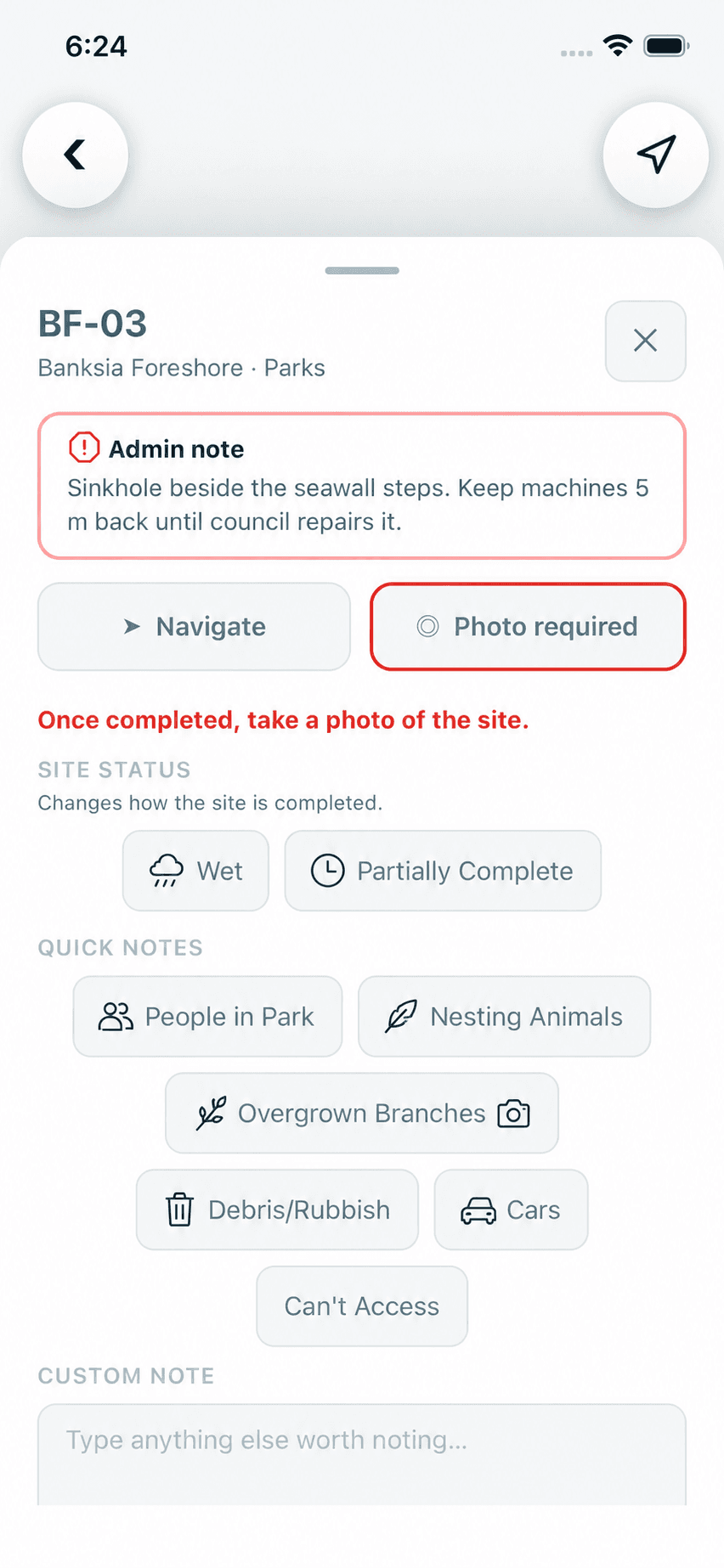
Product screen · Demonstration organisation with synthetic data A note is added if something needs saying
The operator taps a common note or types their own.

Product screen · Demonstration organisation with synthetic data The office reviews it
Notes and photos are reviewed in Operations, and on each site’s record.
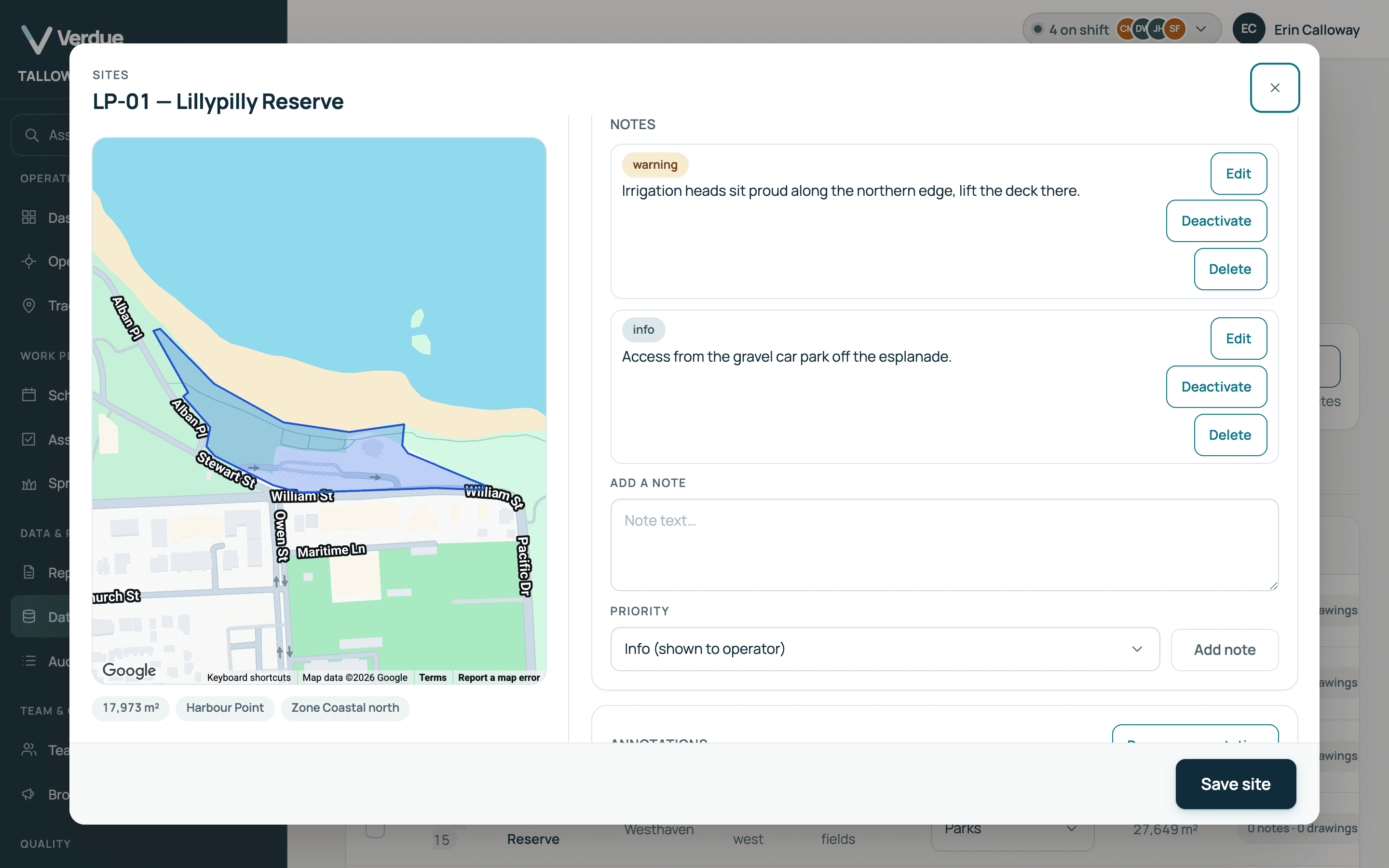
Product screen · Demonstration organisation with synthetic data · Map data ©2026 Google Anything unfinished stays visible
A job that is not completed stays open on the operator’s run and in the office’s assignments.
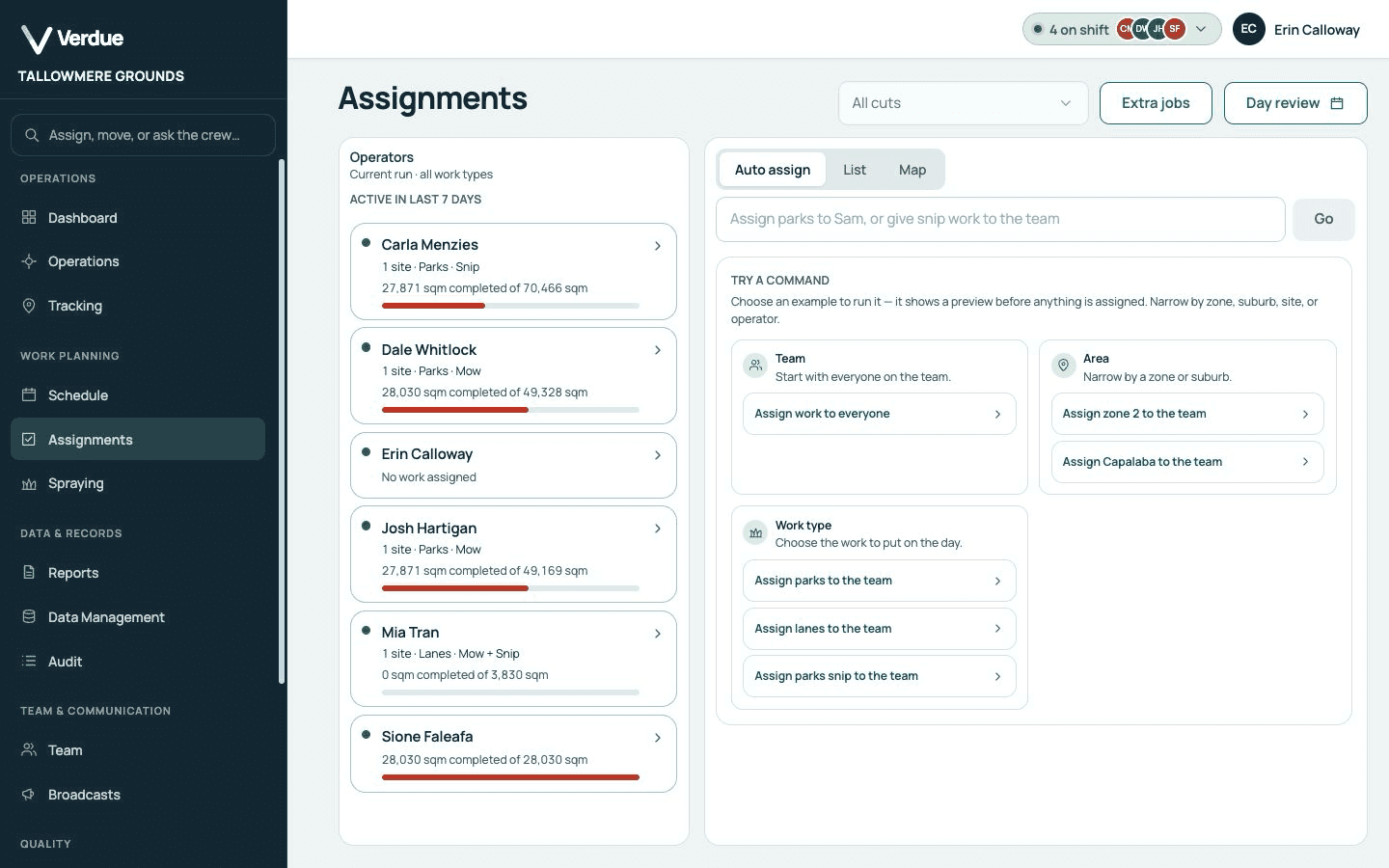
Product screen · Demonstration organisation with synthetic data
In the product
Real screens,
from a demonstration organisation.
A site’s notes
Each with its priority: info, warning or critical.
Map data ©2026 Google
Photo beside Navigate
One tap from the job.
Operator notes
See operator notes without chasing messages.
Recent photos
Review photos by site, operator, task and date.
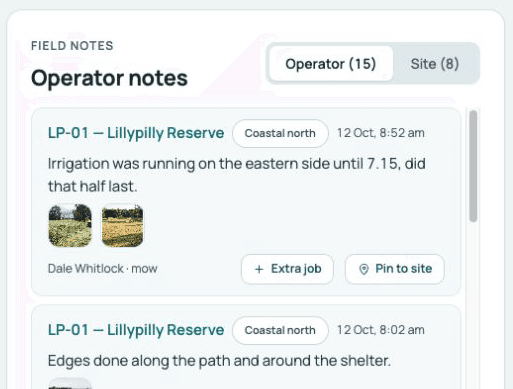
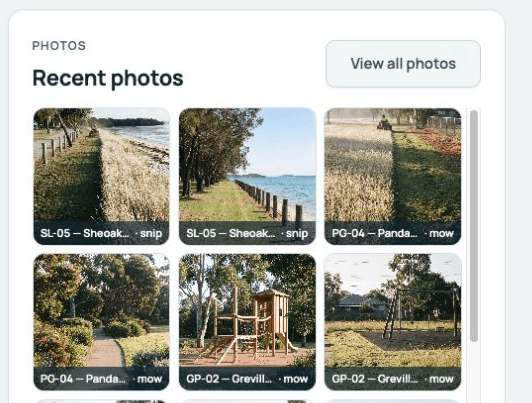
Product screens from a demonstration organisation with synthetic data.
Who uses it
One record,
two points of view.
In the office
Managers and supervisors
- Review photos by site, operator, task and date.
- See operator notes without chasing messages.
- Know which visits are missing a photo.
In the field
Operators
- Attach a photo while completing.
- Explain a problem in a line.
- Photos saved offline go up later.
Your questions
What you need to know.
Does it work without phone signal?
Yes. A completion and its photo are saved on the phone and sent when signal returns.
Can a photo be required?
Yes. While the setting is on, a site with an active critical note cannot be completed without a photo.
Who sees the photos and notes?
Owners, admins and managers, reviewing notes and photos in Operations.
Are photos kept with the site’s history?
Yes. A site’s record shows its photos grouped by cut, with its notes and its completion dates.
Can the office add notes for the crew?
Yes. Office staff add site notes with a priority of info, warning or critical. Active notes are shown to operators, critical first.
Can I search past photos?
Yes. All site photos can be searched and filtered by site, operator, task and date.