
Platform Scheduling
Know what is due.
Before it is late.
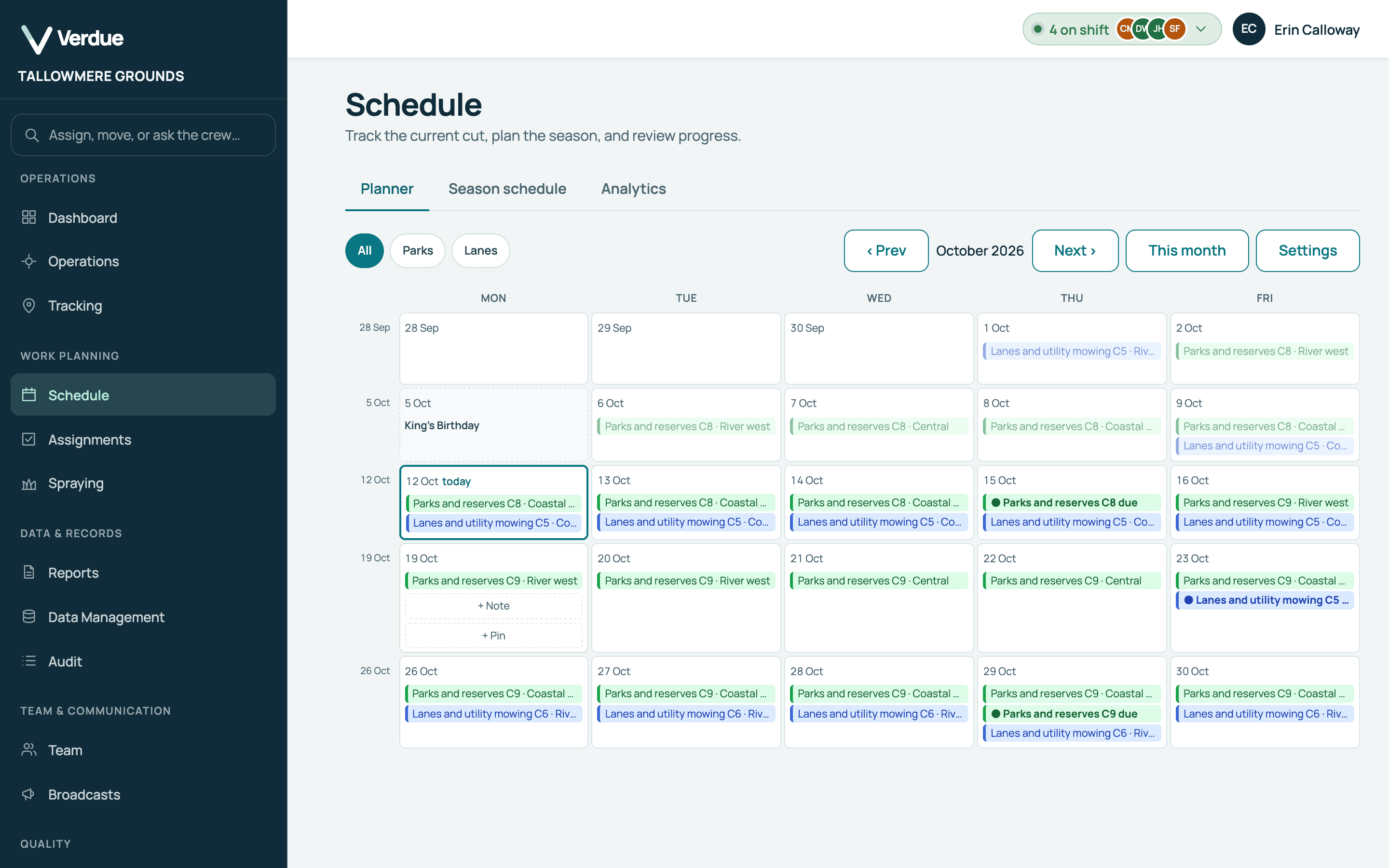
For recurring contract work. Give each rotation group its cuts per year and cut dates, and see each cut’s due date on one planner, with a warning when a cut is running behind.
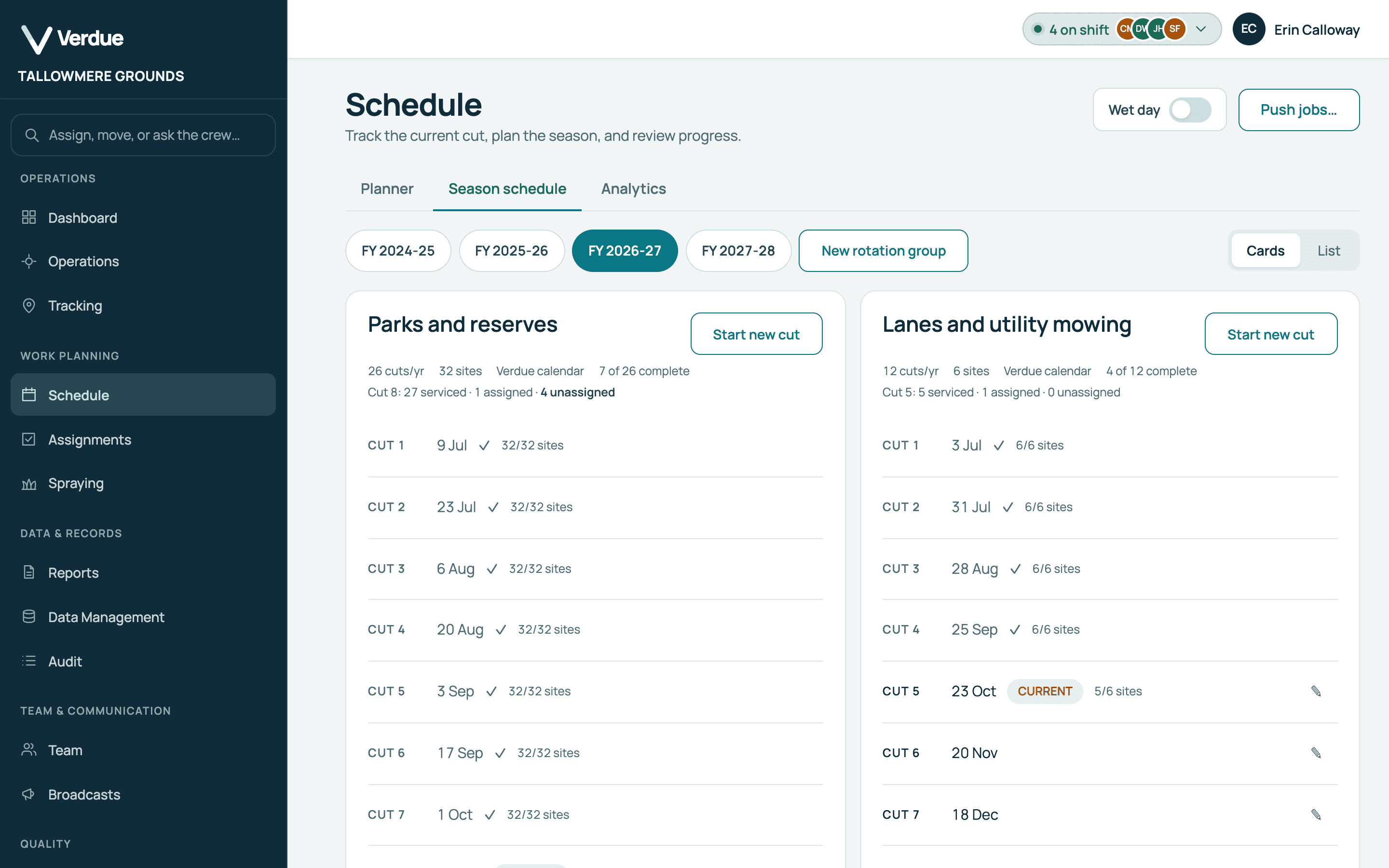
- A cycle for each rotation group. Each group of sites has its own cuts per year and cut dates, so different kinds of work can run on different cycles.
- Due dates on the planner. Each cut’s due day is marked against the crews’ days.
- See where each crew should be. Day by day, a month at a time.
How it works
The cycle,
on one planner.
Set the cut dates for each rotation group
Each group has its cuts per year and a date for each cut.
Product screen · Demonstration organisation with synthetic data The planner lays the cut across working days
It shows where each crew should be, day by day, to finish every cut on time.
Product screen · Demonstration organisation with synthetic data Move a wet day’s jobs to another date
Every scheduled job moves from the day you choose, and completed jobs are left alone.
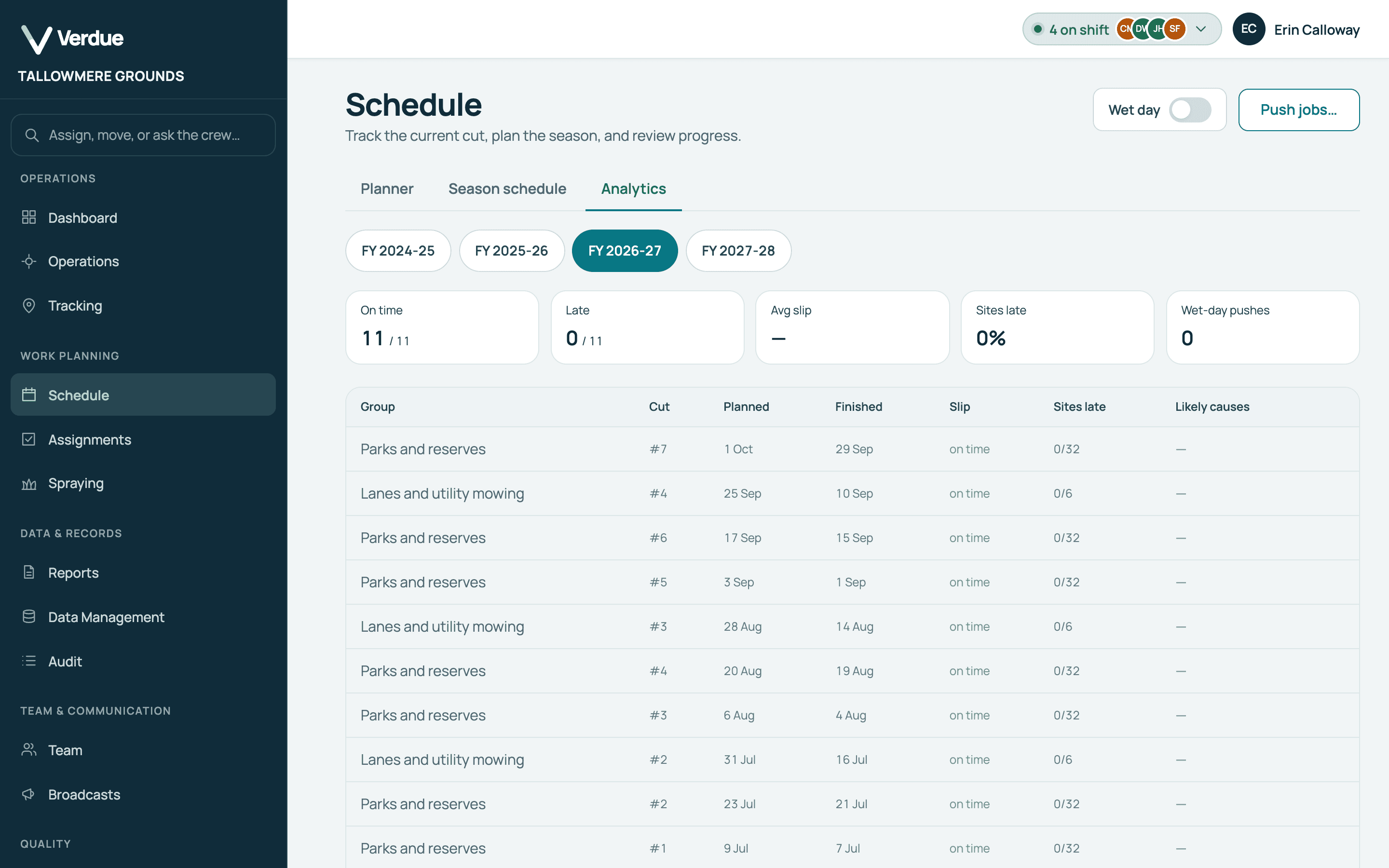
Product screen · Demonstration organisation with synthetic data See how each cut finished
Analytics lists each cut’s planned and finished dates.
Product screen · Demonstration organisation with synthetic data
In the product
Real screens,
from a demonstration organisation.
Season schedule
Each cut’s date is shown for the season and can be edited.
Analytics
Planned and finished dates for each cut.
Due dates
Each cut’s due day is marked against the crews’ days.
Cycles
Each group has its cuts per year and a date for each cut.
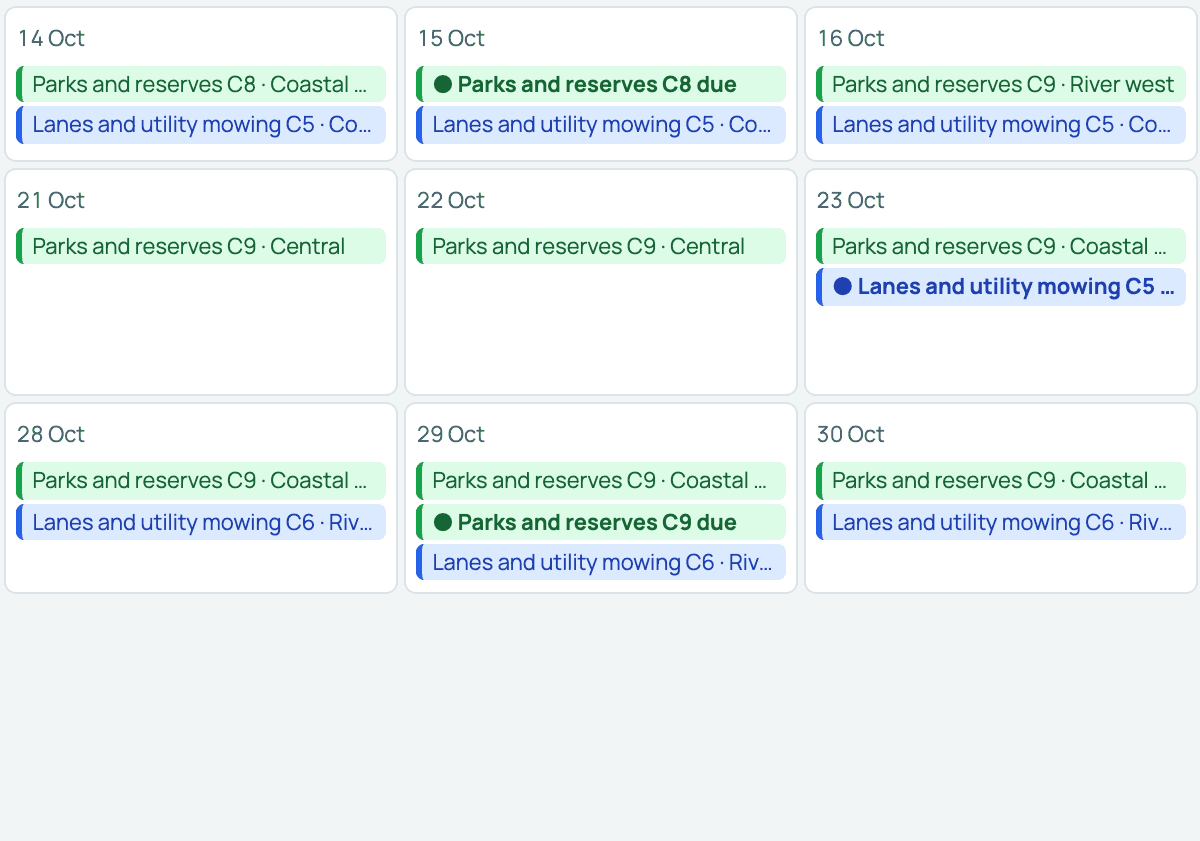
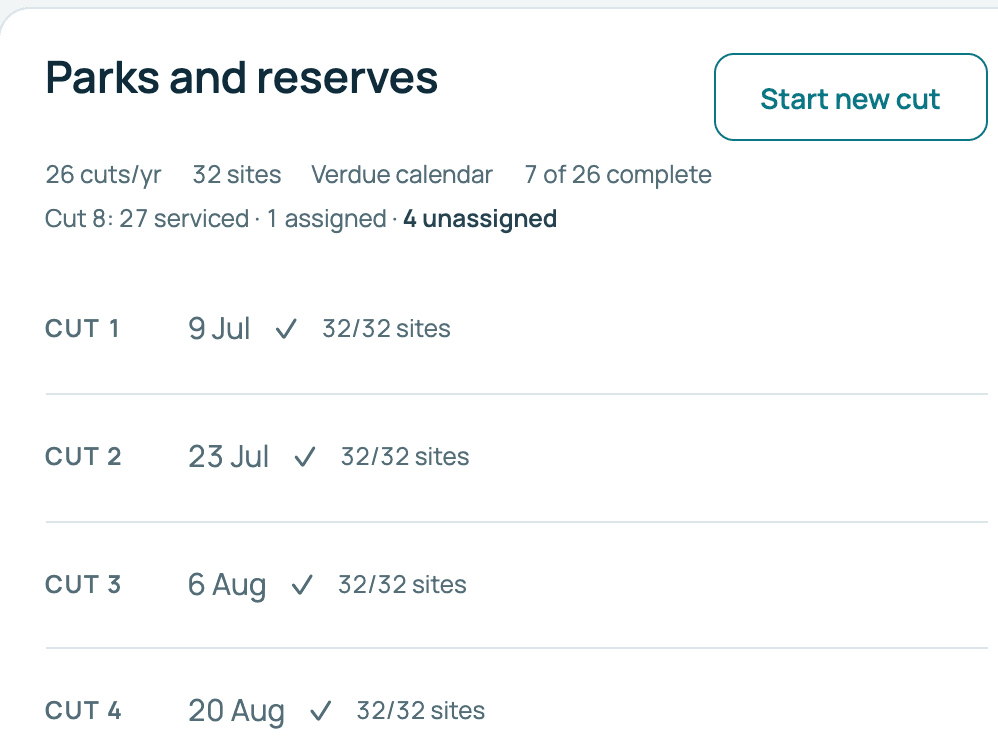
Product screens from a demonstration organisation with synthetic data.
Who uses it
One record,
two points of view.
In the office
Managers and supervisors
- See where each crew should be, day by day, a month at a time.
- Move a wet day’s scheduled jobs to another date.
- Compare cuts on time and late.
In the field
Operators
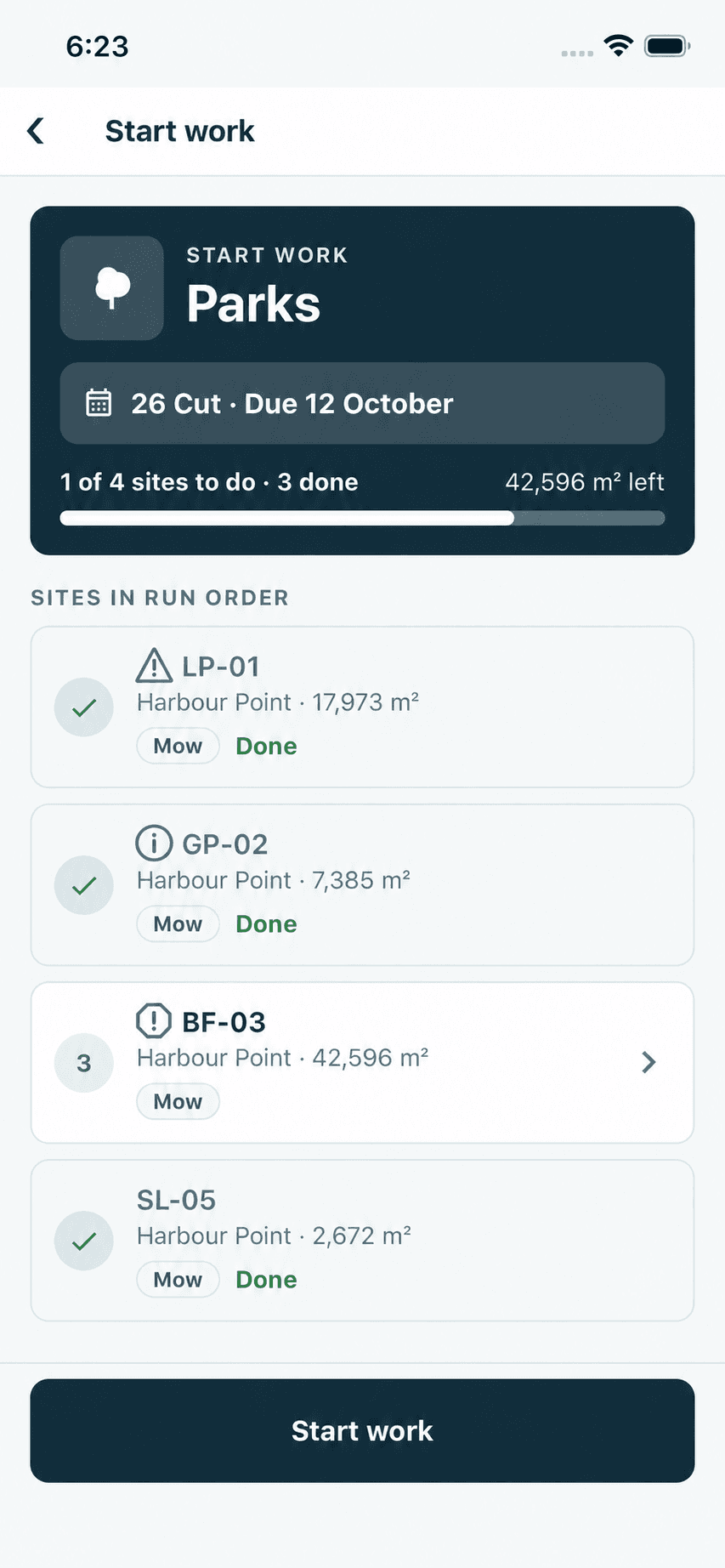
- A proposed day works zone by zone, in the same route order the planner follows.
- The site list shows which scheduled cut it belongs to and how many sites remain.
- Each cut works through the same zones in the same order.
Your questions
What you need to know.
Can different work types have different cycles?
Yes. Each rotation group has its own cuts per year and its own cut dates, so each kind of work can run on its own cycle.
Does the planner assign work?
No. The planner is a projection of where each crew should be, and it assigns nothing. Operators receive work only through assignments.
What happens on a wet day?
You can move every scheduled job from that day to another date, and mark a crew’s day as not working on the planner. Completed jobs are not moved.
Can I bring in an existing schedule?
Yes. A season’s planned cut dates can be imported from a CSV file.
Does it tell me when a cut is behind?
Yes. The planner shows a banner naming any cut that is behind, that has fewer spare working days than the headroom you set, or that is projected to finish after its due date.
What does the analytics tab show?
For each financial year: cuts on time, cuts late, the average slip in days, the share of sites late and the number of wet-day pushes, with each cut’s planned and finished dates.
Can I change a cut’s date?
Yes. Each cut’s date is shown for the season and can be edited.